Know the profit before the job ends
Quote it, run it, claim it, collect it. One system instead of five spreadsheets and a WhatsApp thread — whatever trade you are in.
Already a customer? Your tools are at app.raultech.my

If you quote a job and get paid in stages, it fits
Different trades, the same problem: the price is set before the cost is known, and the answer arrives after the job is finished.
- Building & civil works
- Renovation & interior fit-out
- Steel fabrication & structures
- Plumbing & sanitary
- Electrical & wiring
- Mechanical & M&E
- Aircon & ducting
- Roofing, ceiling & partition
- Tiling, painting & finishes
- Piling & earthworks
- Glass, aluminium & glazing
- Landscaping & external works
Main contractor or subcontractor, one crew or several. If your trade is not on the list it almost certainly still fits — ask us.
Four stages, and no new habits
Click through the job the way it actually moves.
The quotation
Split the job into trades, or cost it in one sheet. Materials, labour, crane, subcontractor and markup, with your own rates offered back to you from the last time you quoted them.
- Last-quoted rate suggested on every material
- A warning when the markup sits below your own average
- Prints on your letterhead, with deposit and payment terms
The handover
Your QS submits the quote. Management opens it in the inbox, adjusts the price or the margin if needed, and turns it into a live project in one click. Nobody retypes anything.
- QS and management see only what they should
- Adjust a trade price without touching the engineer's costing
- The approved quote becomes the project, with its contract value
The job
Log real costs, supplier invoices, site photos and variation orders as the work moves. Quoted against actual updates with them, per trade, so a thin job shows itself early.
- Profit and cash on one card per project
- Variation orders adjust the contract instead of being forgotten
- Supplier payables worked out from the invoices you logged
The money
Claim by stage. Deposit, progress, balance, or one stage per trade. Each claim raises a real invoice under your own numbering, and recording the payment closes the claim and the invoice together.
- Percentage, fixed amount, or the remaining balance
- Receipts stored against the payment that cleared
- Scheduled, billed, collected and left to bill always foot
A 22% markup is not a 22% margin
That one gap has priced more thin jobs than anything else on a site. Move the sliders and watch it open up. Raul shows both numbers, per trade, so nobody quotes on the wrong one.
Try it
LiveThe sum your QS does by hand on every job.
Day rate assumed at RM450 for the illustration. In the app it comes from your own rates.
Everything the job needs, nothing it does not
Other AI answers questions. Raul’s AI does the paperwork on your real jobs, and never makes up a number: it only copies figures it can see on the page, and you check every line before anything is filed.
Quotes that print properly
The customer sees a clean line-item list that always foots to the price you quoted, never your internal cost words. Lump sum works too.
Profit per trade, live
Contract, actual cost, received, still to collect and supplier payable on every project, while you can still do something about it.
Snap a receipt, the cost is on the job
Photograph a supplier invoice, receipt or DO. Raul reads every line, you check it, and it posts to the right job and trade. Filed on the project, private, and ready if there is ever a dispute.
Site Diary, free for the whole crew
Supervisors and foremen file the day from their phone: manpower, work done, photos, problems. Raul tidies their notes into a proper diary. Site staff logins are free on every plan, in any number.
Your data is yours
Each company sits behind its own boundary, enforced on the server. Another company cannot read your quotes even if they go looking.
Tender BQ to a priced quote
Drop in the client’s bill of quantities as a PDF and Raul reads it into a quote for you to price. Supplier price lists load into your rates the same way.



Fabrication, renovation, M&E — Raul is built for all of it.
Built on site and in the workshop, not in a startup office
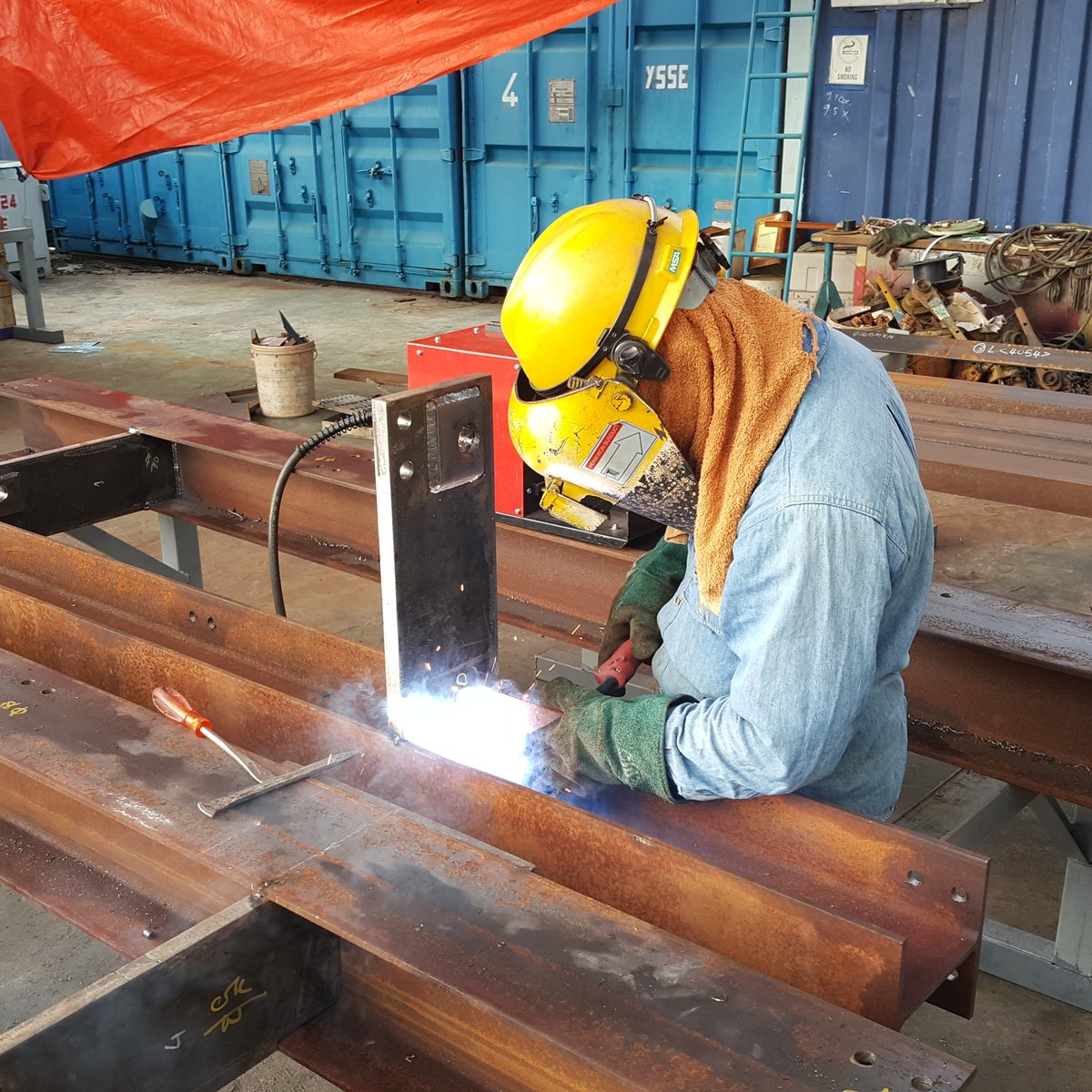
Raul started as the system for one Kuching contractor doing fabrication and construction work, who was tired of quoting in Excel and finding out the profit afterwards. Every screen exists because a real job needed it: the trade-by-trade quote, the variation register, the claim that raises its own invoice.
None of that is specific to steel. A renovation, a re-piping job and a switchboard installation are all priced before the cost is known, all bought from suppliers on credit, all claimed in stages and all chased for payment. That is the shape Raul is built around.
It is also why it does not do scheduling charts or stock control. It does the part that decides whether the job made money.
Built and run daily by YSSE Fabricator Sdn Bhd, a fabrication and construction contractor in Kuching, Sarawak, on the same system it quotes and invoices its own jobs with. Now available to other contractors as Raul, by Raul Technologies.
Pay for the office. The site crew is free.
Every feature is on every plan. You pay for office users and how many tenders you read — the two things that grow with your company. Receipts, DOs, price lists and diary write-ups are never counted.
Starter
Billed monthly
A small team that wants quoting, projects, site records and getting paid in one place.
- Every feature: quotes, projects, claims, documents, Site Diary
- 3 office users
- Site staff free, as many as you have
- Receipts, DOs, price lists and diary write-ups read by AI, no monthly limit
- 5 tender BQs read a month
- Unlimited branches
Growth
Billed monthly
A busy office pricing tenders every week, with more people running jobs.
- Everything in Starter
- 10 office users
- Site staff free, as many as you have
- 30 tender BQs read a month
Pro
Billed monthly
A larger contractor with a full QS and project team.
- Everything in Growth
- Unlimited office users
- 100 tender BQs read a month
- Priority support
Pilot customers stay on their pilot rate. AI reads carry a safety limit of 25 a day per company, which stops a fault from running up a bill.
The things contractors actually ask
I am not a fabricator. Does it fit my trade?
Can another company see my prices?
My people are not computer people. Is it hard?
Does it work on the phone?
What about the quotes already in Excel?
Can I quote by trade instead of by cost category?
Do I pay for my site crew?
Will the AI make up numbers?
How do I get started?
Open your tools
Already set up with us? Go straight in. Your team signs in with the email we set up for them, and the same account works on the phone.
Project Management
Projects, claims, invoices, payments, documents and site photos.
Quotation Calculator
Build, save and print project cost quotations.
Stop finding out after the job is finished
Fifteen minutes on WhatsApp and you will know whether this fits how you work.